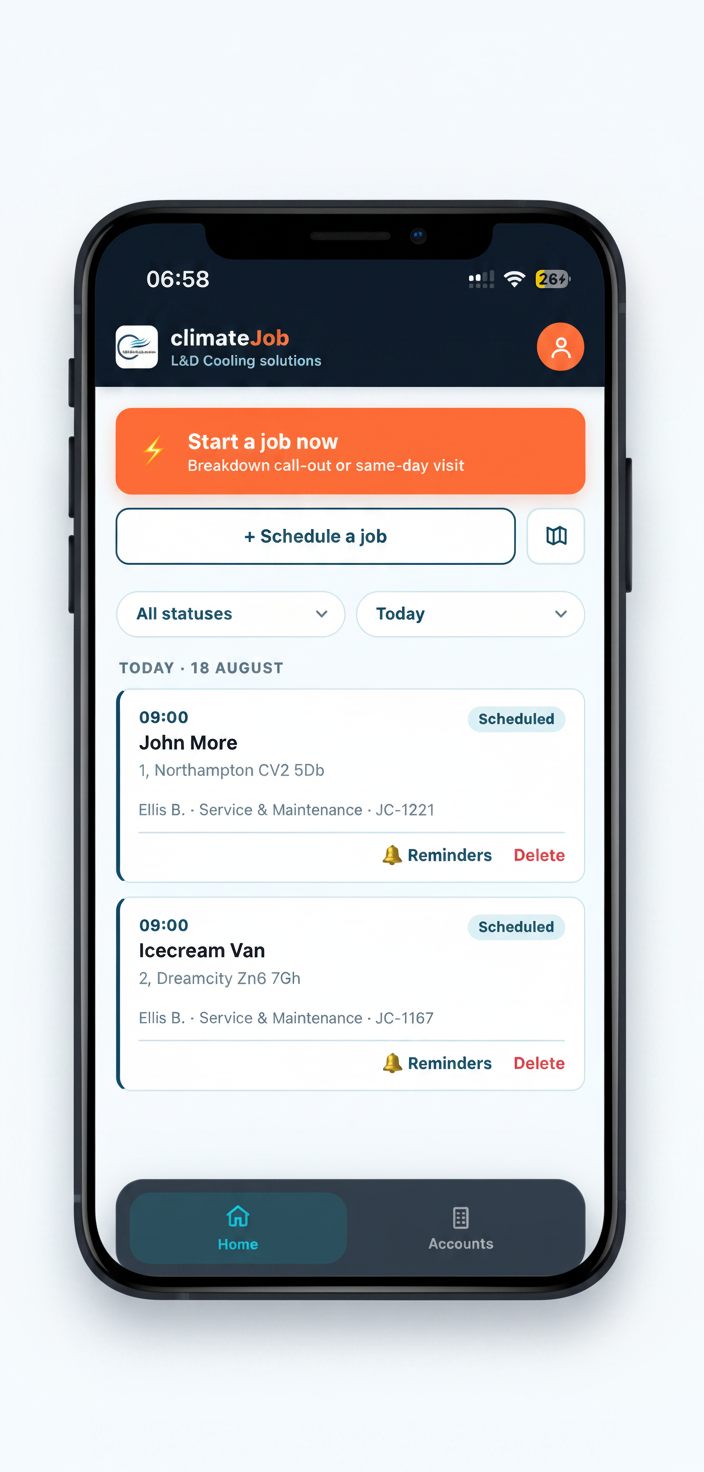
F-Gas Compliance Software for HVAC Engineers
Keep F-Gas records, refrigerant information, equipment history and compliance-related paperwork organised in one app
built specifically for UK air conditioning and refrigeration engineers.
Free 30-days trial · Cancel anytime before trial ends and you won't be charged · No contracts or cancellation fees
F-Gas records shouldn't mean more paperwork.
Keeping track of refrigerant, equipment, leak checks and service history can quickly become difficult when information is spread across paper forms, spreadsheets, job sheets and different systems.
climateJob brings your F-Gas and refrigerant information together with the equipment and jobs you're already managing, so the record grows as the work happens
Job
Equipment
Refrigerant
F-Gas record
Service history
Everything you need to keep your F-Gas records organised
01
Equipment records
Keep F-Gas information connected to the equipment you're working on, alongside its service and job history.
02
Refrigerant tracking
Record refrigerant information and charge weights as part of your job workflow.
03
Leak-check records
Keep leak-check information with the relevant equipment and service history.
04
Cylinder management
Keep track of your refrigerant cylinders and the information you need when working with refrigerant.
05
CO₂e calculations
Automatically calculate CO₂ equivalent from refrigerant charge information, helping you understand the environmental impact associated with the refrigerant recorded.
06
Digital records
Keep job information, notes, photos, documents and customer sign-off together instead of relying on separate paperwork.
Keep track of refrigerant without the spreadsheet
Record refrigerant information as part of your normal job workflow.
climateJob is the F-Gas Compliance Software for HVAC Engineers that helps you keep charge weights and refrigerant information organised against the equipment and work carried out.
Refrigerant type
Choose from 28 common refrigerants, each with its GWP built in. Switch on only the ones your business uses, so engineers see a short, relevant list on site.
Charge weight
Record the measured system charge at every visit. Each asset keeps its current charge, updated from real readings rather than estimates.
Refrigerant added and recovered
Log gas added or recovered as part of the job. It's captured on the signed job card and carried into the equipment's service history.
Cylinder tracking
Each engineer's gas cylinders are tracked in the app. When a job is completed, cylinder levels update automatically, so you always know what's left on the van.
CO₂e and leak-check intervals
climateJob uses the refrigerant's GWP and charge to work out CO₂e and the leak-check frequency that applies. Completed service visits reset the clock, so you can see when the next check is due.
Linked to the job
Every refrigerant entry sits against the job it came from, whether it's a service, call-out or commissioning, and appears on the signed PDF sent to you and your customer.
Full equipment history
Each asset's logbook shows its service history, including every visit where refrigerant was added or recovered. Commissioning and decommissioning are recorded too, so an asset's refrigerant record runs from install to removal.
Engineer F-Gas details
Store each engineer's F-Gas registration number, certifying body and expiry date, so their credentials go on every record they sign.
CO₂e calculations, without doing the maths manually
Record the refrigerant charge and let climateJob calculate the associated CO₂ equivalent for you.
Under the F-Gas rules, what matters isn't just how many kilograms of refrigerant a system holds. It's the climate impact of that refrigerant, expressed in tonnes of CO₂ equivalent (CO₂e).
Two systems with the same charge weight can fall into completely different categories depending on the gas inside them.
How it's worked out
CO₂e (tonnes) = charge (kg) × refrigerant GWP ÷ 1,000
For example, a system holding 3 kg of R-410A (GWP 2,088) contains 6.26 tonnes CO₂e. That puts it above the 5-tonne threshold where regular leak checks and record keeping apply.
Why it matters
The CO₂e figure decides how often a system needs a leak check:
CO₂e charge
Leak check at least every
5 to under 50 tonnes
12 months
50 to under 500 tonnes
6 months
500 tonnes or more
3 months
Where climateJob helps
Each refrigerant in climateJob comes with its GWP already built in.
Record the charge against the equipment and the CO₂e is calculated for you, then used to set the leak-check interval for that asset.
You see the CO₂e information alongside the equipment and refrigerant record, rather than calculating it separately every time. When the charge changes, the figure follows.
Keep leak checks with the equipment history
Every asset in climateJob keeps its own service history.
Open an asset and you can see each visit, the refrigerant that went in or came out, and when its next leak check is due, all in one place.
Leak-check schedules, worked out for you
climateJob uses each asset's refrigerant and charge to calculate its CO₂e, then sets the leak-check frequency that applies:
5 to under 50 tonnes
12 months
50 to under 500 tonnes
6 months
500 tonnes or more
3 months
CO₂e charge
Leak check due every
When a service and maintenance visit is completed, the clock resets automatically and the next due date moves on.
You can also set your own reminder defaults for your business, so upcoming checks don't slip.
What the history shows
- Asset – the unit, its refrigerant type and its current charge, measured at each visit rather than estimated.
- Every service visit – the date, the engineer and the work recorded on the signed job card.
- Refrigerant added or recovered – logged against the visit and the cylinder it came from, with cylinder levels updated automatically.
- Call-outs where gas was involved – if refrigerant was added or recovered on a call-out, that visit appears in the history too.
- Commissioning and decommissioning – recorded against the asset, so its history runs from install to removal.
- Next leak check – the due date, based on the system's CO₂e and its last completed service.
Signed records that aren't overwritten
Each completed job produces a signed PDF for you and your customer. If something needs correcting, the job is re-signed as a new version, and the original is kept. Nothing is quietly edited after the fact.
A logbook ready when you need it
Produce an asset's logbook as a PDF at any time, covering its service history and refrigerant movements. Hand it to a customer, landlord or auditor without putting anything together by hand.